
MS Teams: You have denied access to the root site
Open the SharePoint root site. Open the link https://{your-tenant-name}.sharepoint.com. Please replace “{your-tenant-name}” with the tenant’s name
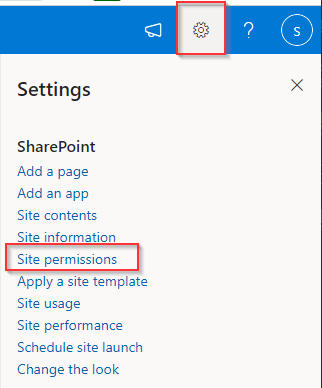
click on the Settings icon > Site Permission at the right top. Then click on the Advanced Permissions Settings
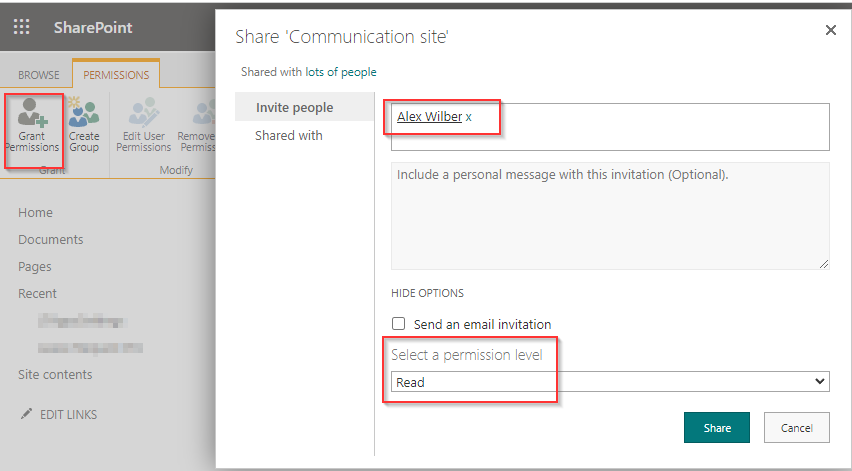
In the user page, click on the Grant Permissions in the ribbon
Select the user who is facing the issue. Select a Read permission. Then click on the Share button
Still stuck?Email us at support@ltaddins.com or call +84 946 579 539.