
 NEWSharePoint Online · Microsoft Teams · Mobile
LTAPPS Approval HubHR & Ops Suite for Microsoft 365
Approvals, time off, timesheets, overtime and bookings in one app that runs inside the Microsoft 365 you already have.
- 5 modules in one app
- No-code workflows
- 13 languages
- Your data stays in your SharePoint
- modules in one app
- 5
- languages built in
- 13
- lines of code to set up
- 0
- of your data in your SharePoint
- 100%
Everything HR & Ops runs on, working together
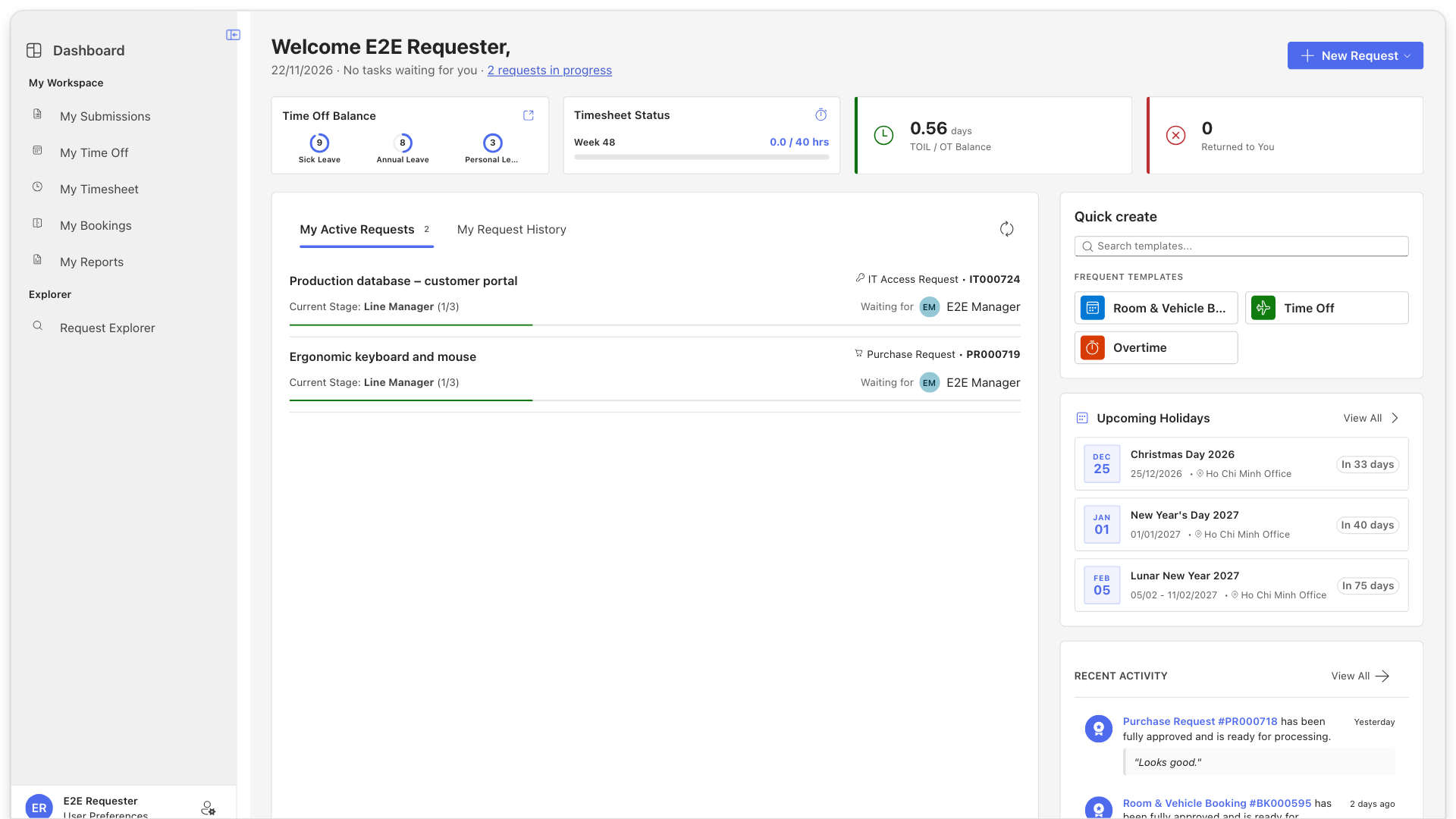
Approvals, time off, timesheets, overtime and bookings share the same people, calendars and rules, so nothing is typed twice.
Any request, routed to the right person
Purchase, IT access, business trips or your own forms: employees submit in a minute, and the right approver is found for them.
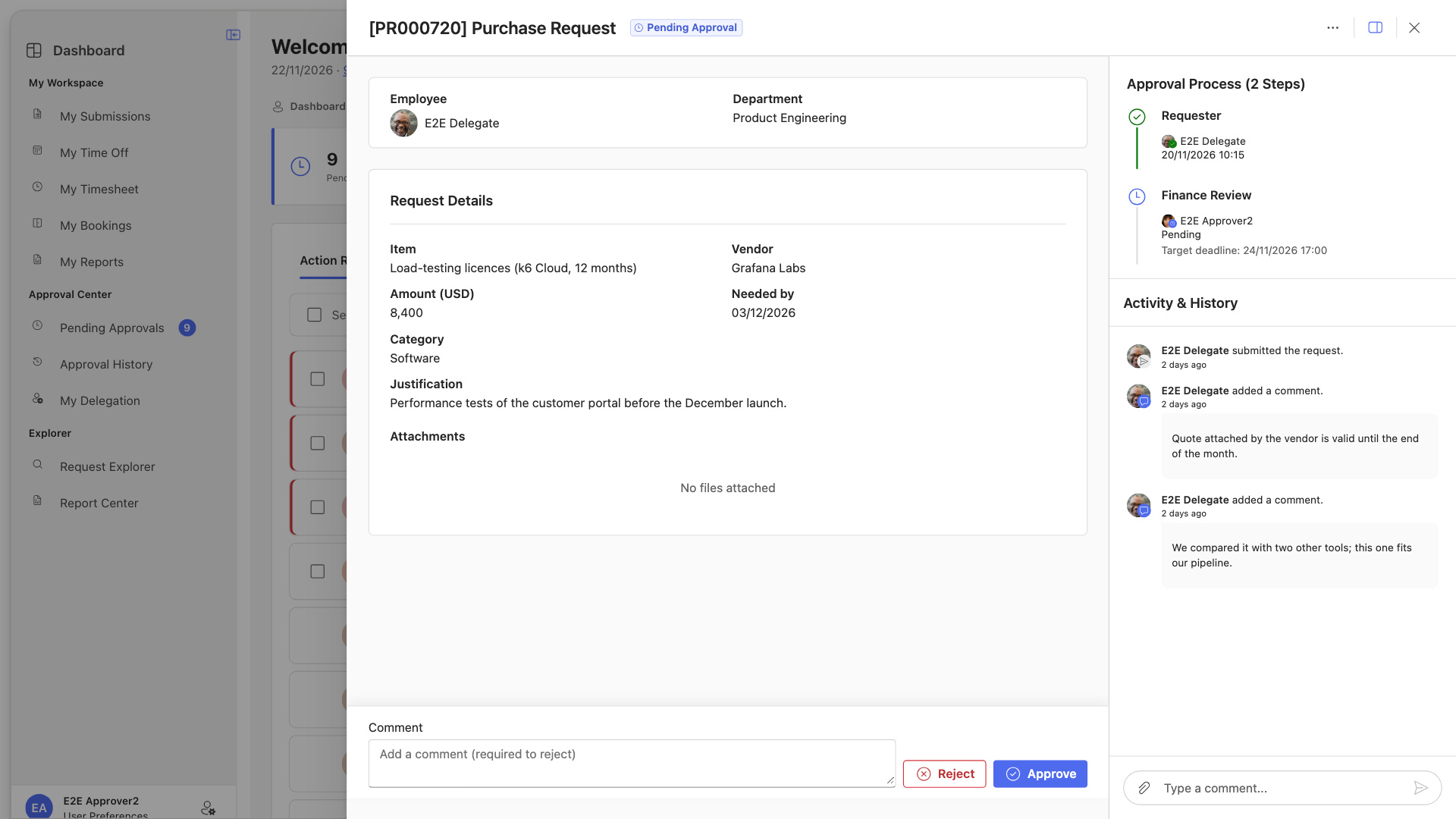
- The approval path, the history and the comments on every request
- Overdue and urgent tasks first; approve in one click or several at once
- Reject with a reason, delegate while you are away, submit on behalf
- Print, share, copy the link or take the request back
From request to report, on its own
- 01
Submit
From a form you designed, on desktop, Teams or phone. Balances and rules are checked first.
- 02
Route
Conditions pick the path: department managers, named people, groups or someone chosen in the form.
- 03
Decide
Approvers see late and urgent tasks first, with deadlines counted in working hours.
- 04
Sync
Leave balances, time off in lieu and timesheets update on their own. E-mails go out at every step.
- 05
Report
Dashboards and the Reports Center show volumes, delays and costs, ready for Excel.
Your rules. No code. Inside Microsoft 365.
Set it up once and adjust it any time: request types, forms, steps, approvers, deadlines and e-mails are all yours.
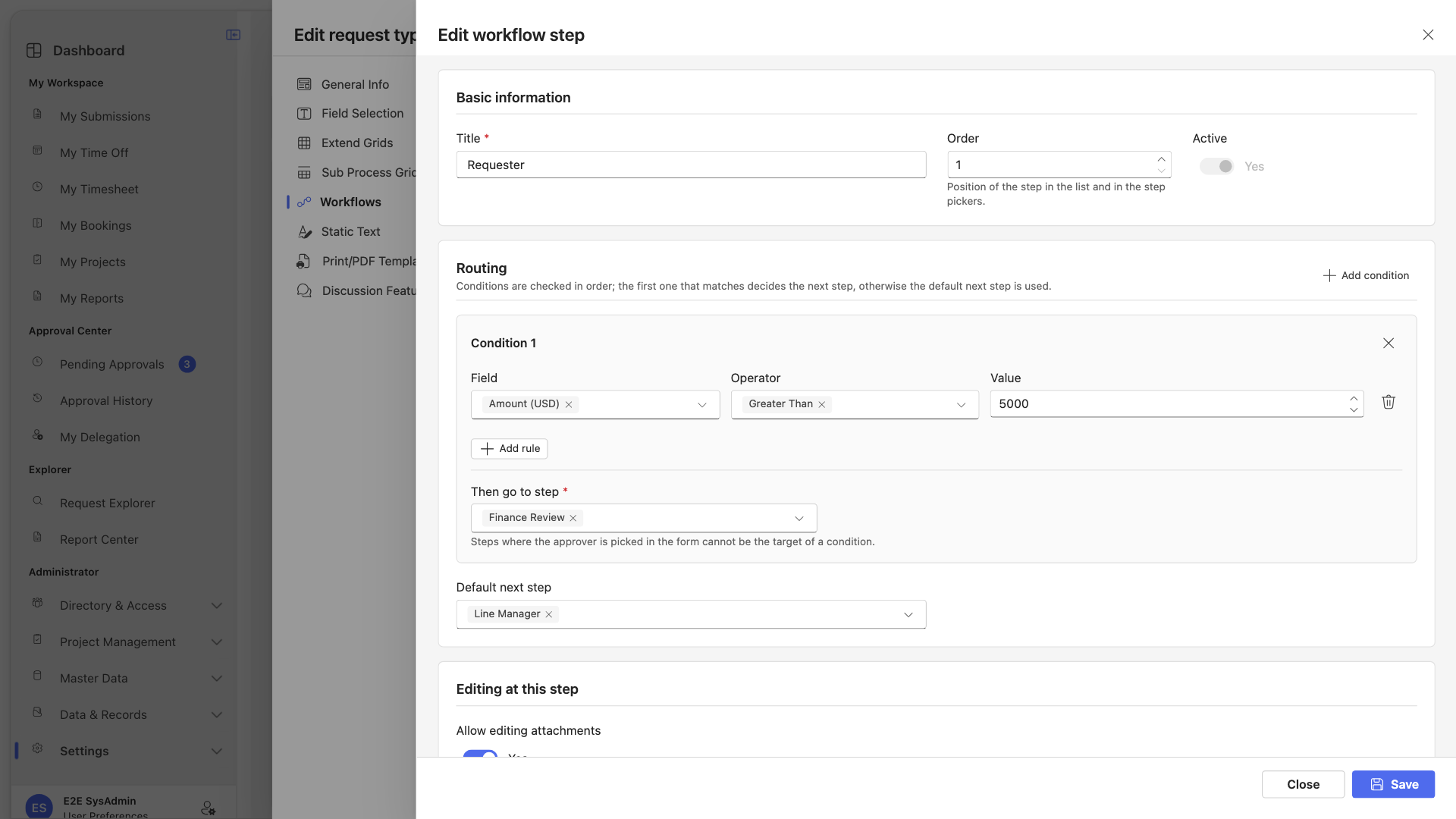
Design your own approval process
Fields, line-item grids, steps, approvers and conditions. A purchase above 5,000 goes straight to Finance.
On your phone and in Teams
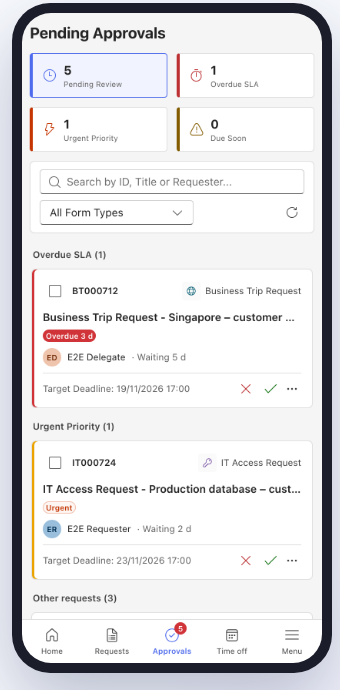
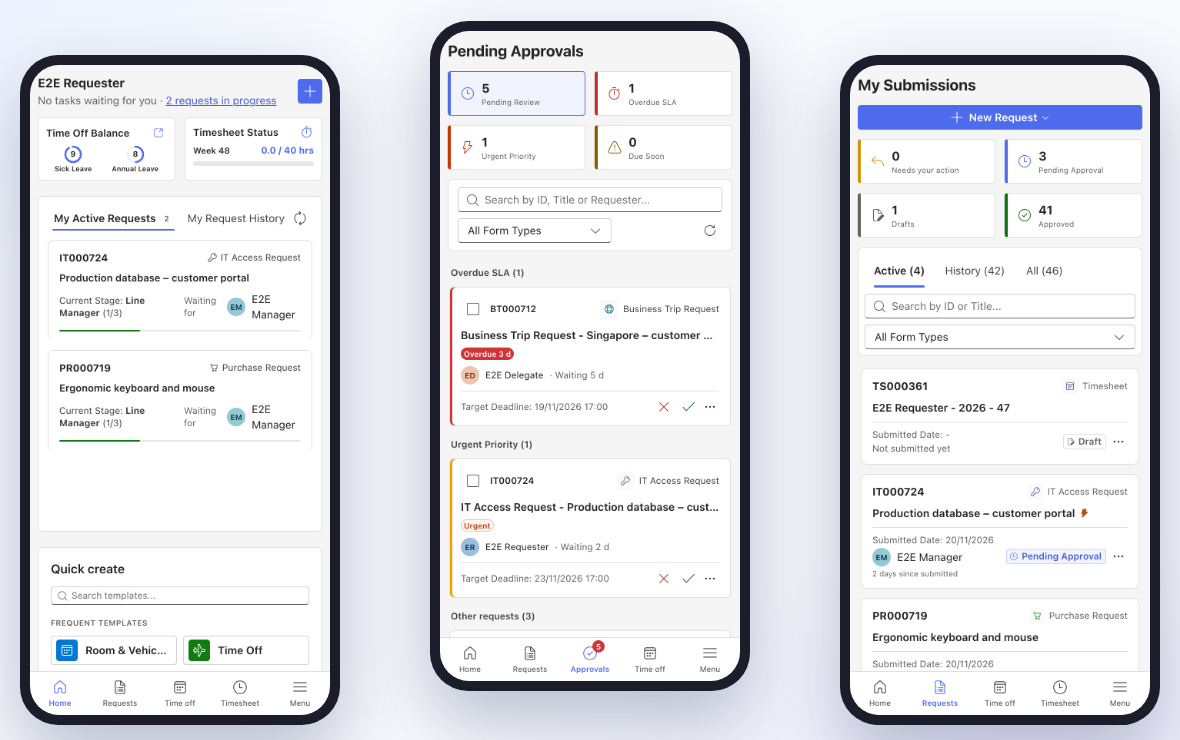
A phone layout with a tab bar: what needs you comes first, and approvers decide with one tap.
Deadlines in business time
Service levels skip weekends, public holidays and hours outside the working schedule.
Thirteen languages
Every text can be edited, and dates follow your format.
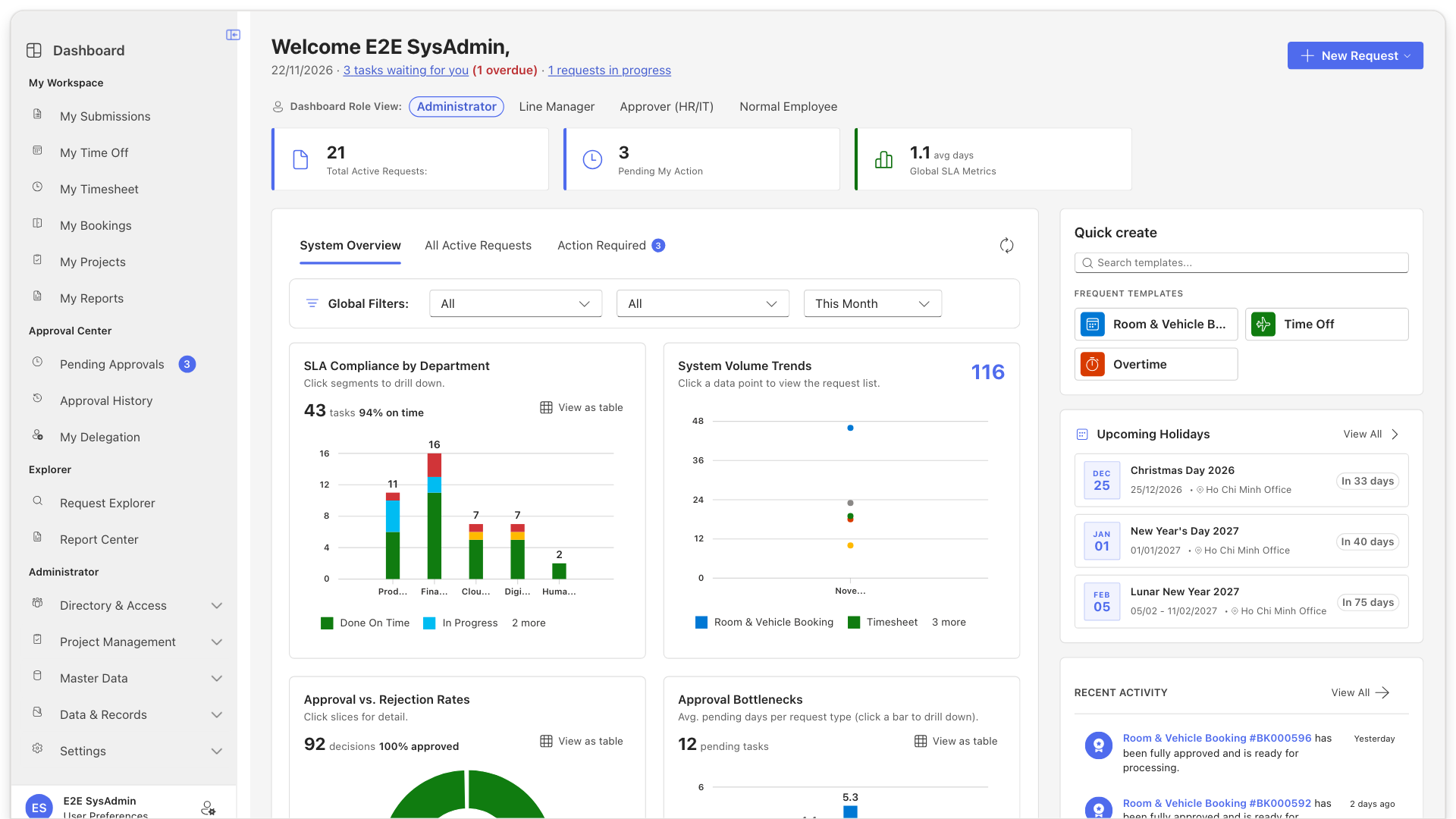
Dashboards for every role
Administrator, line manager, approver and employee views. Every chart opens its details.
Delegation, sharing & submit on behalf
Approvals keep moving while people are away, and a delegation monitor shows who covers whom.
E-mails per step
Templates with request fields and a preview, plus print and PDF layouts for every request type.
Requests, approvals and time off in your pocket
The same data and the same rules on a phone: forms open full screen, the tab bar leads to your requests, approvals and time off, and the menu never loses your place.
See a full round in three minutes
Start with the overview, then go deeper: the everyday work of employees and approvers, and how an administrator sets it all up.
One full round: an employee's home page, time off that counts working time only, managers deciding on overdue tasks first, your own approval processes, timesheets, bookings, dashboards, the phone and Microsoft Teams.
Three steps to your first request
- 1Add the app to your siteInstall Approval Hub on your SharePoint Online site from your app catalog.
- 2Create the pageNew › Page › Full-page apps › Approval Hub. Give it a name and save.
- 3Select Set UpThe lists, default settings and ready-to-use request forms are created for you.
Your data never leaves your SharePoint
The app is built on the Microsoft SharePoint Framework. All components are deployed and hosted inside the SharePoint site where the app is installed. It has no custom service that collects personal information or anything about your device. We do not connect to any third parties or web services, and we do not and will not share any information about you or your use of the app without your written consent.
- SharePoint permissions, list by list
- Microsoft 365 sign-in, no extra accounts
- No third-party servers
Bring your approvals and HR work into one place
See it on your own processes: we will walk you through a demo and help you set it up.